Setting Up a Multi-Station Capillaroscopy Lab for Teaching and Research · body
Quick answer
For a minimal, ready-to-run multi-station nailfold capillaroscopy setup suitable for U.S. teaching and research, equip each station with a benchtop video comparable provider (example model MKXW880), an integrated cold-LED optical head with manual focus and a 25 mm working distance, a monitor or USB video output to a capture PC, stable finger holder and oil coupling, standardized room conditions (22–24 °C, ~70% RH), and a consistent file naming and backup policy. Centralize software and image review on a shared server or simple NAS, keep one spare head and power adapter per 8–10 stations, and record daily QC images for instructor review. This configuration balances image quality, throughput and reproducibility for classroom cohorts and longitudinal research cohorts.
Contents
Direct answer — minimal multi-station configuration (one paragraph)
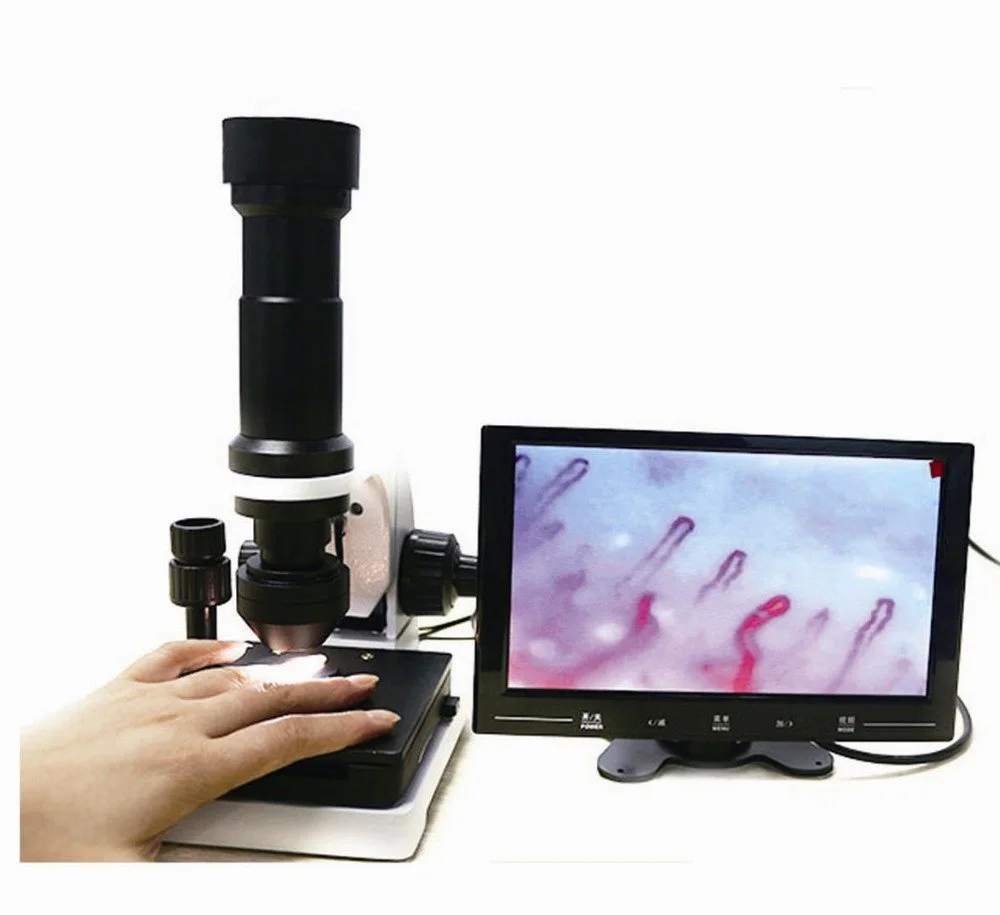
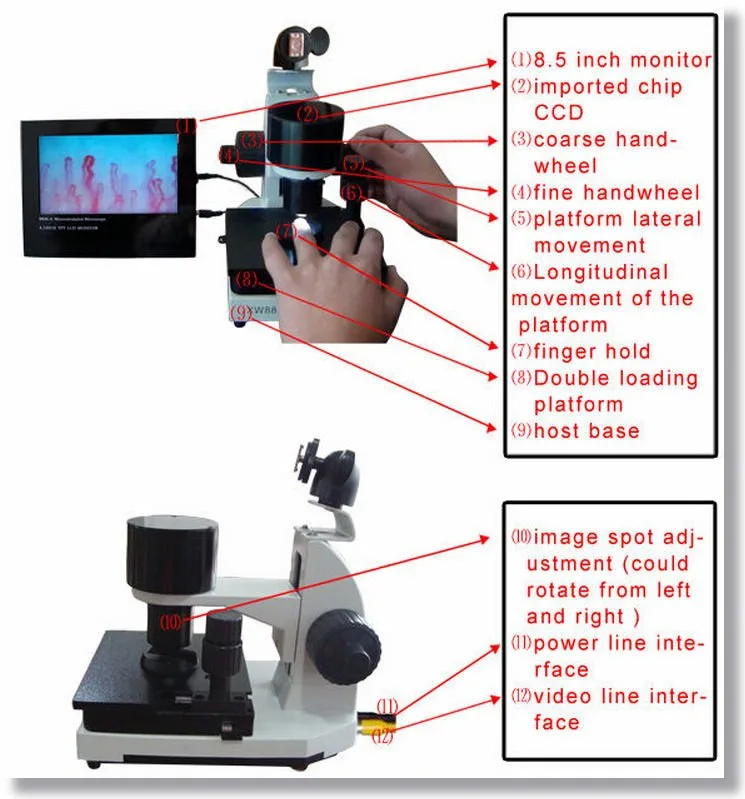
At minimum, build each station around a benchtop video capillaroscopy unit with manual focus, cold LED illumination, a working distance of 25 mm and a magnification option that produces clinically useful images (the MKXW880 family meets these specific parameters). Pair the optical head to a 10″–22″ monitor or USB video capture to a lab PC, mount a finger holder, supply paraffin/baby oil for optical coupling, and standardize capture settings and file naming across stations. Provide AC power via the supplied adapter (AC input 100–240V 50/60Hz with DC output DC12V,2A), centralize data on a local server or NAS, keep spare adapters and spare mechanical parts, and run daily QC target captures for reproducible teaching images. This gets a small-to-medium lab ready for classroom rotation or multi-arm research without bespoke IT integration.
Why multi-station capability matters for teaching and research
Medical educators need throughput: a single instructor must show the same anatomy and technique to an entire cohort within a scheduled lab. Research teams need reproducibility and longitudinal traceability: identical optics, lighting and capture settings reduce measurement variance between sessions. Multi-station setups let you run parallel practicals, collect cohort data at a single timepoint, and maintain a consistent capture pipeline for follow-up visits.
Decide your primary lab use and scale
Before hardware selection, decide whether the lab will be primarily for: (1) high-throughput teaching (class sizes of 12–30), (2) controlled research (smaller cohorts, stricter environmental control), or (3) mixed use. Teaching labs prioritize identical, robust stations and ease of use; research labs prioritize tight environmental and capture control and traceable metadata. Mixed-use requires a compromise: identical hardware per station plus an instructor station with an elevated review configuration.
Choose form factor per station: benchtop video, tower/portable, or handheld
Setting Up a Multi-Station Capillaroscopy Lab for Teaching and Research · body
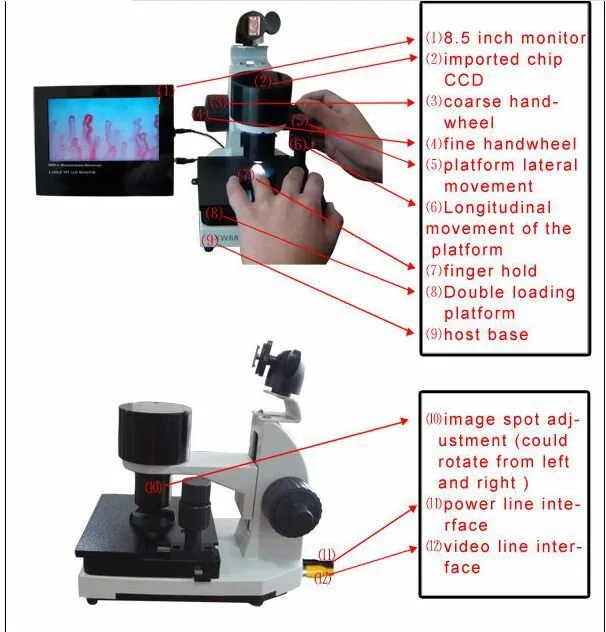
We recommend benchtop video systems for multi-station teaching and most research because they balance stability, image quality, and ergonomics. The MKXW880 is an example of a benchtop video system with cold LED illumination, manual focus and a specified working distance of 25 mm — features that simplify standardization across stations (see the specification summary below). Handheld or purely portable units are useful for outreach or small-group demonstrations but introduce variability in working distance and stabilization that make reproducible research harder. Tower systems with integrated monitors offer clear instructor visibility but take more space and cost more per station.
Station footprint, power and electrical checklist for U.S. sites
Setting Up a Multi-Station Capillaroscopy Lab for Teaching and Research · body
Space: allocate a minimum of 60–80 cm (24–32″) width per station for the optical head, finger support and a small monitor or laptop. Include chair space for patient and operator; benches that allow seated patient hands at heart level are preferable.
Power: the unit data reports AC input 100–240V 50/60Hz with DC12V,2A output; in the U.S. you will run the supplied adapter from standard 120V, 60Hz circuits — verify the adapter is the shipped global adapter and keep one spare adapter per 8–10 stations. (data-fact-id=”211″)
Surge protection and labeling: use local surge protection and label outlets by station to support maintenance and inventory tracing.
Service clearance: leave 10–15 cm behind the unit for cable access and ventilation; the device nominal size is 40*35*28 cm (company data).
Image chain and data flow
Setting Up a Multi-Station Capillaroscopy Lab for Teaching and Research · body
For multi-station labs choose one of two practical patterns:
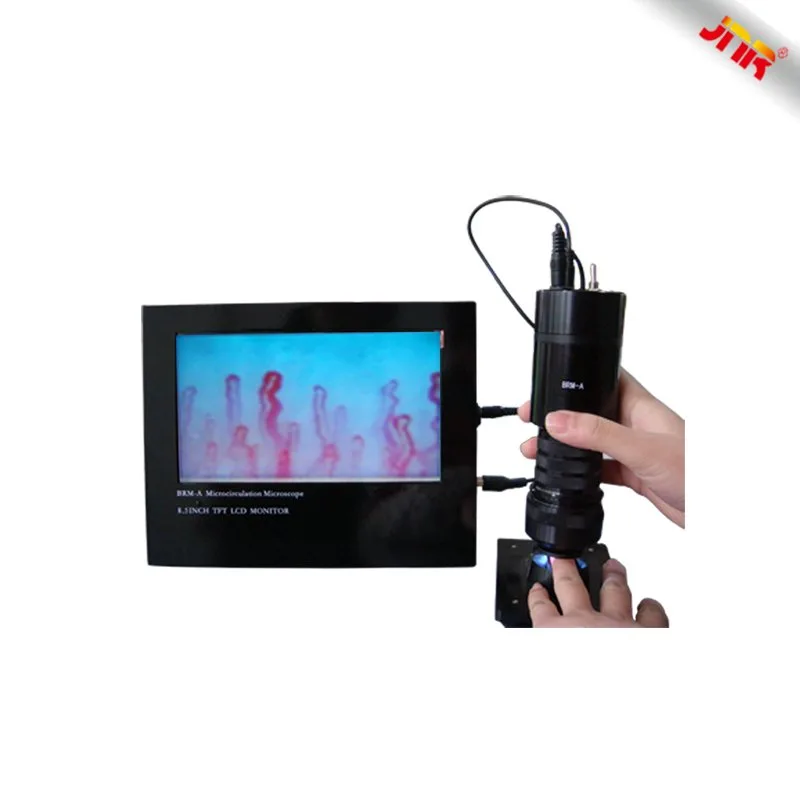
Local capture: a small PC at each station (or a laptop) captures images via USB/video capture. Pros: simple, resilient to network issues. Cons: needs disciplined file naming and periodic central backup.
Centralized capture: stations stream to a central image server or capture workstation (via USB-over-IP or video capture cards). Pros: single data repository and easier QA. Cons: higher initial IT setup and possible single-point failure.
We recommend standardized file naming that includes site, station ID, subject ID, date (YYYYMMDD), and capture sequence — for example: ClinicA_ST03_SUBJ012_20261012_F1.jpg. Store raw captures and an exported JPEG/PNG per subject. Back up daily to a network-attached storage and keep a copy offsite. For classroom use, a shared review folder keyed to course modules simplifies instructor grading.
Illumination and optics standards per station
Setting Up a Multi-Station Capillaroscopy Lab for Teaching and Research · body
Key optics items to standardize across stations:
Working distance: keep the optical head and finger holder set for a 25 mm working distance whenever the system supports it; consistent distance reduces magnification and focus variability.
Cold LED illumination: stabilizes color temperature and reduces heat at the contact surface—ensure identical LED settings across stations.
Manual focus: manual focus heads like those on MKXW880 are robust and intuitive; train staff to use coarse then fine focusing to reduce motion blur.
Magnification: pick a target magnification for lessons and research endpoints (document both objective and digital zoom factors). If units report magnification times like 680/1200, document how those translate to field-of-view in mm for measurements.
Ergonomics and patient flow at each station
Setting Up a Multi-Station Capillaroscopy Lab for Teaching and Research · body
Design stations so the subject’s hands rest naturally at heart level and the examiner can use both hands for gentle manipulation. Use a stable finger holder and a quick-clean surface. For teaching cohorts plan 6–8 minute rotation slots with one instructor demonstrator per 6–10 students. Keep oil, swabs and disposables at the station; require hand cleaning protocols between subjects.
Standardize capture settings and environmental controls
Reproducible imaging depends on environment and procedure. Follow these enterprise-reported guidelines where applicable:
Room temperature: maintain 22–24 °C and relative humidity near 70% when possible to reduce vasomotor variability between sessions (enterprise guidance).
Subject prep: rest 15–30 minutes before imaging, avoid exercise, nicotine and vasoactive medications in the immediate pre-test window when research protocols require it; keep hands at heart level.
Coupling medium: use a small drop of paraffin or baby oil consistently at each capture site to reduce surface scattering and standardize interface conditions (multiple product guides advise this).
Timing: plan consistent capture times for longitudinal studies (same time of day).
Network and software considerations
Keep the software layer as simple as possible for a teaching lab: either a basic capture application on each station or a single central review station. If you expect to run automated analysis or machine-assisted quantitation later, design the capture pipeline to save uncompressed or minimally compressed images and record metadata in a sidecar CSV or JSON (station ID, operator, subject ID, capture settings, timestamp).
Backup plan: daily scheduled sync from local station folders to a NAS with at least RAID1 redundancy, plus weekly offsite backup. If the lab IT team requires integration with a hospital PACS, confirm supported interfaces before procurement.
Calibration, QC and image review workflow
Implement a three-part QC routine:
Daily station check: capture a standard calibration target or photographed template to confirm focus and illumination uniformity at the start of each session.
Instructor review station: schedule a single review workstation where instructors can open batches and annotate or grade images; this station should have a larger monitor and easy access to the central repository.
Maintenance spares: keep a spare cold LED head or spare finger holder, and one spare DC12V adapter for every 8–10 stations to avoid downtime.
Evidence and product facts used
We used company-supplied product details for the benchtop/video unit MKXW880 (cold LED illumination, manual focus, working distance 25 mm, AC input 100~240V 50/60Hz with DC output DC12V,2A, unit size 40*35*28 cm, weight 5.2 kgs, lead time 2–3 DAYS, warranty 1 Year). These values are MAIKONG’s reported specifications and should be confirmed against the model manual prior to purchase or clinical use. (data-fact-id=”211″)
Limitations and risks
Hardware specifications are supplier-declared and not clinical performance claims. Environmental guidance (temperature, humidity, subject preparation) is recommended practice from product documentation and training notes but does not guarantee clinical outcomes. If your study requires regulatory compliance or claims of diagnostic accuracy, consult institutional compliance officers and verify device labeling, registration and intended use. Finally, networked solutions introduce IT security and privacy obligations that individual institutions must manage.
Operational checklist for deployment
Decide station count and bench layout; allocate 60–80 cm per station.
Purchase identical benchtop units (same model) for optical parity; document serial numbers.
Ensure each unit has the manufacturer adapter (AC input 100–240V, DC12V,2A) and keep spares.
Standardize capture protocol and file naming convention; pilot with 5 subjects to validate workflow.
Set up a central review workstation and a NAS for nightly backups.
Train instructors and techs on manual focus technique and QC target capture.
What is the minimum order quantity for multi-station purchases?
Can these units be used for research that requires traceable measurements?
Yes, provided you standardize optics, working distance (we recommend 25 mm where the device supports it), lighting and capture settings, and record metadata. For formal clinical research, confirm that the device labeling and institutional processes meet the study’s regulatory and data governance requirements.
Article Disclaimer / Compliance Notice
This content is for educational, informational, product introduction, and professional reference purposes only. MAIKONG capillaroscopy equipment is intended for professional observation, imaging, documentation, training and research consistent with its specified product purpose. This article does not provide medical advice and should not be interpreted as a diagnosis, treatment recommendation, cure, or substitute for examination by a qualified healthcare professional. Buyers must confirm applicable U.S. federal, state, institutional and professional requirements before purchasing or using the equipment. MAIKONG does not claim its devices independently diagnose, prevent, treat, or cure disease unless such claims are supported by applicable regulatory authorization and labeling.
This content is provided for learning, information sharing and professional communication only. It is not medical advice and is not a basis for treatment or diagnosis. Confirm suitability, operation and purchasing requirements against the product manual, local regulations and qualified professional guidance.
If you want a tailored multi-station configuration or a formal quotation that lists current lead times, accessories and OEM/private-label options, contact us with your planned station count, intended workflow (teaching, research, or mixed), and whether you need central server integration. We can propose a configuration that includes spare parts and a suggested QC kit.
We accept single-unit orders, and we can also supply multi-unit orders and OEM/private-label arrangements; volume-related lead times may vary. Please request a quote with your desired quantity.