Designing a Consistent Image Capture Workflow for Longitudinal Studies · body
Quick answer
Adopt a single, documented capture protocol per study: choose one form factor (bench or portable), lock optical settings and working distance, control room temperature and timing, use the same finger map and finger-holder position each visit, save raw images with a standardized filename and embedded metadata, and run a short operator pass/fail QC at capture to accept or repeat the shot.
Contents
Why a repeatable capture workflow matters for longitudinal studies
In longitudinal nailfold comparable provider, differences between visits often arise from how the image was collected, not from microvascular biology. Small changes in magnification, illumination angle, finger orientation, room temperature, or even different operators can create variability that mimics progression or recovery. For clinical follow-up and research endpoints you need to reduce this measurement noise so that observed changes reflect biology. Practically, that means standardizing hardware choices, locking capture settings, documenting environmental conditions, and using consistent finger mapping and image metadata so images can be compared reliably across visits.
Define study goals and capture endpoints
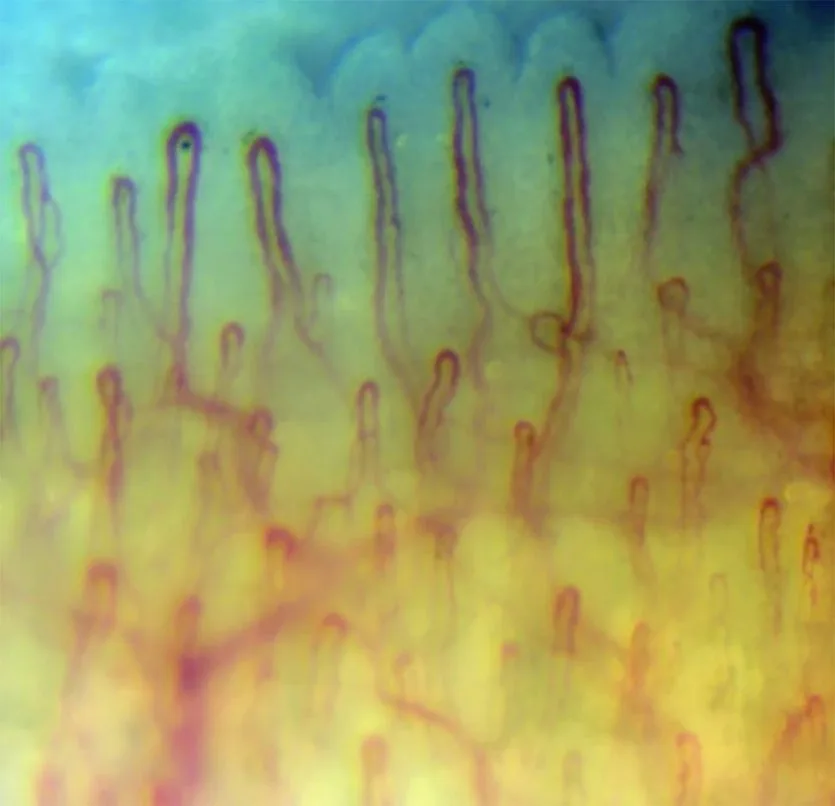
Before you set equipment and procedures, be explicit about what you will measure and when. Typical capture endpoints in rheumatology follow-up include capillary density (loops/mm), presence or number of giant capillaries, hemorrhages, and gross geometry changes. Decide whether you need single-frame stills, stitched mosaics, or short video clips for flow assessment; each imposes different requirements for magnification, stability and file size.
Decide imaging frequency (for example: baseline, 3 months, 6 months — choose intervals that match the expected pace of change for your question).
Choose measurement priority: morphology (structure) favors higher magnification and precise focus; density and mapping favor consistent field-of-view and digit-level repeatability.
Document the endpoint definitions so operators know the minimum acceptable image content (e.g., “clear view of distal row across 3 contiguous capillary loops”).
Choose the right form factor for repeatability
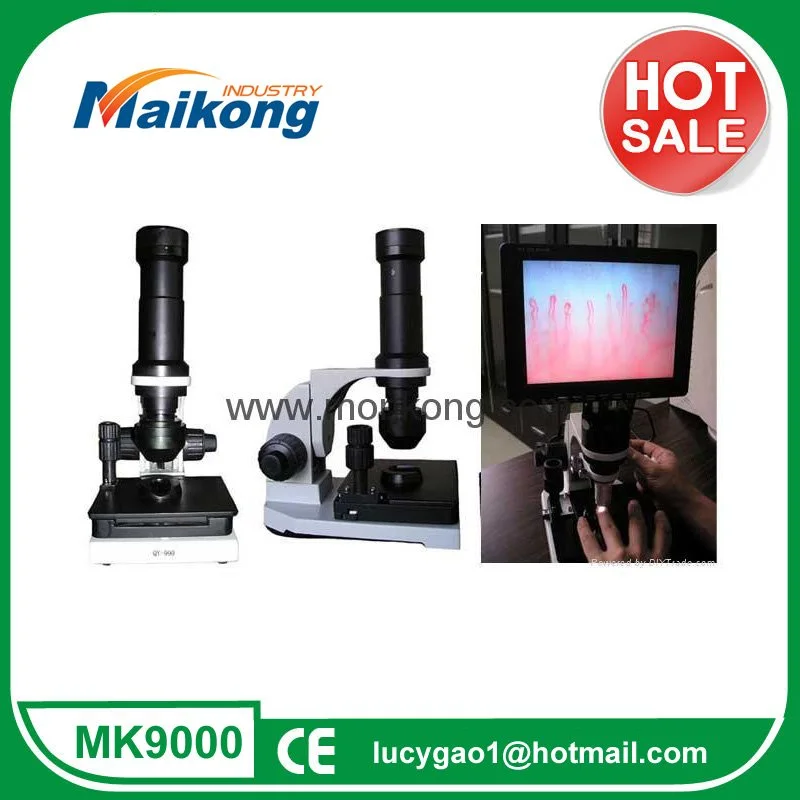
Form factor determines how easy it is to lock variables. Benchtop/video systems mounted on a stable base give the best mechanical repeatability and are preferable when you expect many follow-ups or need consistent positioning. Portable or handheld devices are more flexible for outreach or small clinics, but require strict positioning aids and more training to achieve the same repeatability.
Trade-offs in brief:
Benchtop/video system — best mechanical stability, easier to fix working distance and orientation, more ergonomic for routine clinics; requires a dedicated space.
Portable tabletop units — good compromise for clinics that need flexibility; require a small stand or consistent finger platform to control distance.
Handheld devices — useful for bedside or mobile screening, but demand robust positioning jigs and tighter operator SOPs to prevent variability.
Standardize capture hardware and settings — what to lock
Designing a Consistent Image Capture Workflow for Longitudinal Studies · body
Locking these items reduces most measurement variability. Record them in the site SOP and freeze them for the study duration unless there is a documented need to change.
Device model and optics (record exact model identifier).
Magnification and objective used (lock optical zoom and objective selection).
Working distance or physical stop (use a finger rest to maintain 25 mm or the instrument’s specified working distance).
Focus method (manual vs. motorized); if manual, document coarse/fine wheel positions or use a focus limiter.
Illumination type and brightness setting (cold LED or equivalent level).
Capture mode: still image resolution and file format (prefer lossless or high-quality JPEG) and whether video clips are recorded.
As an example of documented device parameters you can base a local SOP on, our MKXW880 nailfold comparable provider microscope lists the following verified specifications:
How to use these specs in a protocol
If you use MKXW880 or a similar system, decide which magnification setting corresponds to your endpoint. For general morphology and scoring of capillary abnormalities we recommend a consistent objective and magnification for all visits — document the objective (for example the declared 5X objective) and the capture magnification number to avoid operators switching lenses or digital zoom between visits. Lock the cold-LED illumination level in the device UI or mark the control dial.
Patient preparation and environmental control checklist
Designing a Consistent Image Capture Workflow for Longitudinal Studies · body
Small physiologic differences alter nailfold appearance. Use a short checklist to make conditions consistent:
Room temperature: keep a stable clinic temperature and avoid drafts; record the temperature at each visit when possible.
Timing: image at the same time of day for each patient where practical.
Rest period: have the patient sit calmly for 10–15 minutes before imaging.
Position: patient seated with hands at heart level; use the same chair and table height if possible.
Skin preparation: remove nail varnish; apply a small amount of immersion oil (paraffin, baby oil or cedar oil) to the nailfold to improve light transmission — document agent and volume (e.g., 2 drops) consistently.
Pre-test restrictions: standardize instructions about recent caffeine, smoking, exercise and vasoactive medications in your study protocol.
Finger selection and mapping
Define and record exactly which digits and which side of the nailfold you image. Common practice is to prioritize the 2nd–5th digits of the non-dominant hand and to photograph the distal row at the center of the nailfold. Use a standard map and unique per-patient IDs: clinicID_patientID_visitDate_digit_site_orientation (we provide a template below).
Optical settings and magnification policy
Decide one magnification for structure-based endpoints and document fallback options. For example, if a device offers 10X declared magnification and a 5X achromatic objective (as with MKXW880), choose one combination for the study and avoid mixing with handheld higher-magnification captures. If you need occasional higher-detail frames, capture them as labeled additional images rather than replacing the protocol image.
Stability and positioning solutions
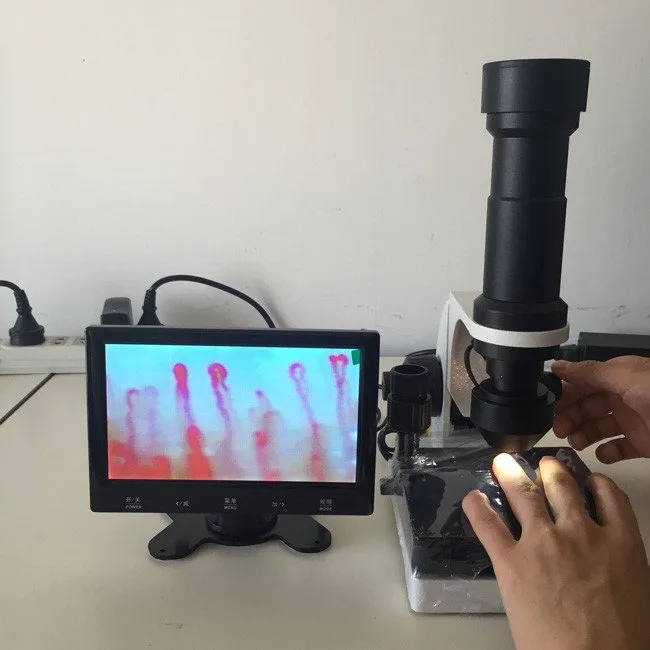
Mechanical control beats subjective hand-holding. Use a finger holder or rest that fixes digit angle and distance. For benchtop units a fixed bridge or stop at the declared 25 mm working distance is ideal; for portable systems use a repeatable finger jig. Where imaging is handheld, train operators to use a physical spacer and a two-handed hold and limit session length to reduce fatigue-related drift.
Illumination and contrast control
Cold LED sources reduce heat and stabilize color. Fix illumination intensity rather than relying on auto-exposure. If your camera or software applies auto-white-balance or auto-gain, lock those settings or capture a calibration frame at each session so subsequent post-processing can account for exposure differences.
Image file naming, metadata and capture sequence
Minimal standard to preserve comparability across visits:
Also embed or capture in a sidecar file: device model (e.g., MKXW880), objective, working distance, illumination level, room temperature, operator initials, and a short free-text note for anomalies. If your device offers built-in metadata fields, populate them at capture.
Quality control at capture — immediate operator checklist (pass/fail)
Focus: capillary loops in the distal row are sharp across at least one contiguous field — PASS / FAIL
Exposure: no blown highlights or deep underexposure in the region of interest — PASS / FAIL
Orientation: digit and lateral orientation match the saved mapping label — PASS / FAIL
Artifacts: no visible compression or debris from oil; if debris present, clean and recapture — PASS / FAIL
If any item is FAIL, repeat the capture immediately and record reason for repeat in the study log.
Sample session template for a routine follow-up
Confirm patient ID and consent; record visit time and ambient temperature.
Seat patient, rest 10–15 minutes; ensure hands at heart level; clean nailfold and apply two drops of oil.
Set device to the study magnification and illumination level; verify working distance (25 mm for MKXW880-style systems).
Place digit in finger holder; align distal row centrally; lock support or spacer.
Capture three stills of the mapped site: primary field, adjacent lateral field, and one overview at the same magnification (if required).
Run the QC checklist; accept or repeat; save files with standardized filenames and metadata.
Log operator initials and any observation (e.g., poor circulation, artifact) in the visit record.
Evidence and product references
We based the hardware examples and declared parameters on our product information for the MKXW880 nailfold comparable provider imaging and video systems, which list cold LED illumination, a manual focus, a declared working distance of 25 mm, and declared magnification and objective values consistent with routine clinical comparable provider practice. These device values are company-declared; for model detail see our product pages such as the nailfold comparable provider imaging system and nailfold comparable provider video system.
Known limitations and practical risks
Standardizing capture reduces but does not remove variability from physiological changes, inter-operator technique, or device aging. We do not claim that any device alone diagnoses disease; clinical interpretation must be done by trained professionals. Specific gaps you should check before purchasing: interoperability with your image-management system, software for structured scoring, and regulatory labeling for a particular use in the U.S. If you need validation data, study-specific calibration procedures, or software integrations, include these in your procurement or trial plan.
FAQ (brief)
Can a portable or handheld device produce reproducible longitudinal images?
Yes—if you pair the device with a rigid positioning jig, lock optical and illumination settings, train operators thoroughly, and enforce a strict SOP for patient prep. Handheld approaches need tighter process controls compared with benchtop systems.
How do we handle software and study-level image management?
Use a single capture pipeline where possible: fixed capture settings, a naming convention, and a repository that preserves original files and metadata. If you plan central reading, export files in a standardized format and include the capture metadata. If your device lacks a dedicated study module, document capture data in a linked spreadsheet or clinical research database.
Article Disclaimer / Compliance Notice
This content is for educational and product-introduction purposes only. MAIKONG nail fold comparable provider equipment and related devices are intended for professional observation, documentation, training and research consistent with their labeling. This information does not constitute medical advice; clinical interpretation and device use must be performed by appropriately trained professionals and comply with applicable U.S. regulations.
This content is provided for learning, information sharing and professional communication only. It is not medical advice and is not a basis for treatment or diagnosis. Confirm suitability, operation and purchasing requirements against the product manual, local regulations and qualified professional guidance.
If you would like a tailored configuration or a formal quote for a clinic-ready setup (bench or video system, finger-holder options and training materials), contact our sales and technical team. We can propose a configuration that reproduces the capture settings in this article and provide lead-time, warranty and OEM/ODM options.